
Resident Profile Changes on AO and IO Screens
When a change to a resident/patient's profile occurs in the Core system, the changes are communicated live in the Touch app without the need to log in/log out to see the latest changes.
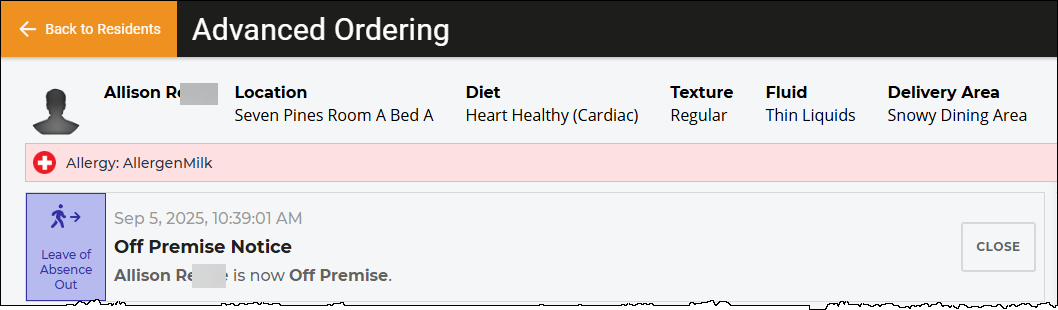
On the Advanced Ordering (AO) and Instant Ordering (IO) screens, the change is displayed as a notification at the top of the screen with the appropriate color/logo/description, as per examples below (showing the Advanced Ordering screen).
A notification stays onscreen until the user taps the Close button for the notification, or if the user leaves the screen.
The types of notifications are as follows:
Diet Order Updated Notification
A diet order update will also automatically refresh the screen with items from the resident/patient's personal menu.
Allergen Updated Notification
If an allergen affects an already-ordered item, that item will be removed from the order, and an Order Canceled notification also appears. The status of the meal will be labelled as Incomplete on the meal period tab (first screenshot below) and also on the Resident Listing screen (second screenshot below).
Order Canceled Notification (AO Only)
The Order Canceled notification appears for AO service types only, and can be the result the following:
- Allergen update that results in an already-ordered item being removed.
- For the Advanced Ordering service type, if the Advanced Ordering settings for a diet order change is set to Cancel Orders (set in the Touch Admin software).
- The menu has been changed in the core system for the dining area person is assigned to.
- The resident's location has changed and in-room delivery is set up for the resident location.
Off Premise Notice Notification
Service Type Updated Notification